Active Subscriptions
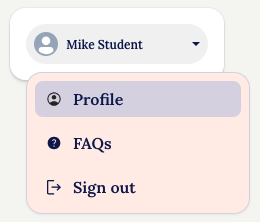
To see the status of your subscription(s), from the Profile menu:
Click the 'Subscriptions' tab and you will see the Subscriptions details:
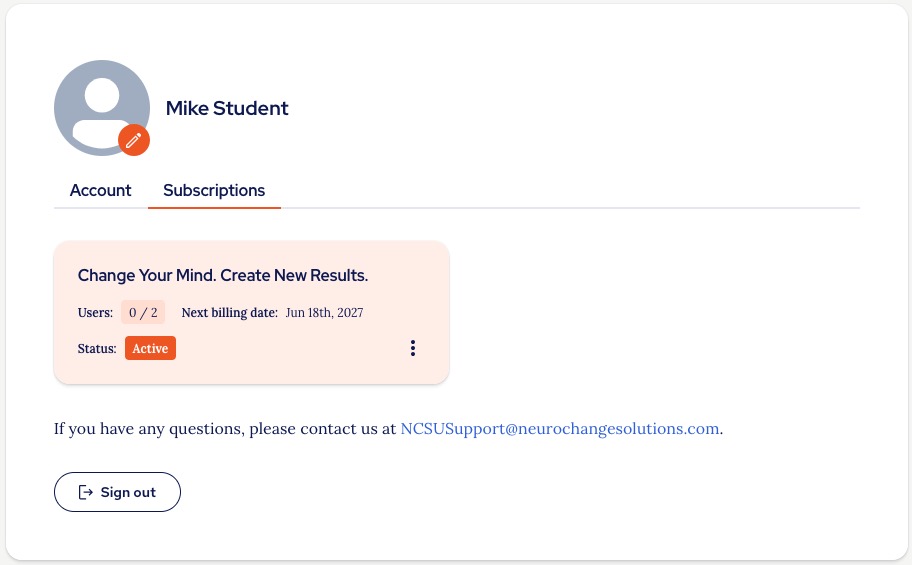
Here you can see how many of the purchased Seats have been assigned to users.
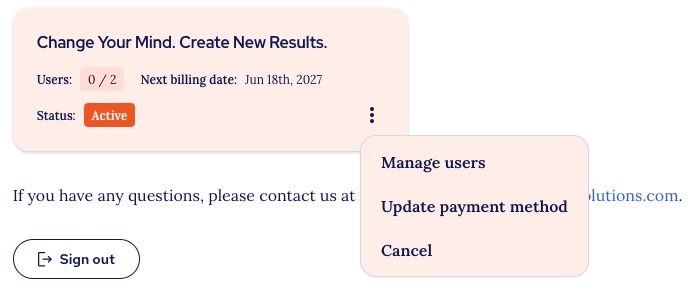
From here you can use the menu options to:
- Manage users (for multi-seat subscriptions)
- Update payment details
- Cancel your subscription
- If you cancel your subscription here it will remain active until the end of the first subscription period, shown as 'Next billing date' on the Subscription tile.
There are specific guides for some of these features, such as:
Cancelled or lapsed subscriptions
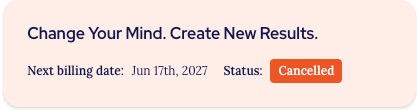
If you have cancelled your subscription it will have the label 'Cancelled' when viewed in the Subscriptions menu:
If your subscription has lapsed, you can purchase a new subscription by following the guides:
Thank you.
The NCSU Team.
Was this article helpful?
That’s Great!
Thank you for your feedback
Sorry! We couldn't be helpful
Thank you for your feedback
Feedback sent
We appreciate your effort and will try to fix the article