If you are buying more than one license at a time, please follow the steps below.
Please note
You can purchase up to 49 licenses through the online purchase journey, otherwise you will need to contact us at:
NCSUSales@neurochangesolutions.com
Step 1.
Before you can purchase a license, you need to create an account.
Step 2.
If you have already created an account and logged in, but you don't yet have a subscription, you will see the message below in the homepage:
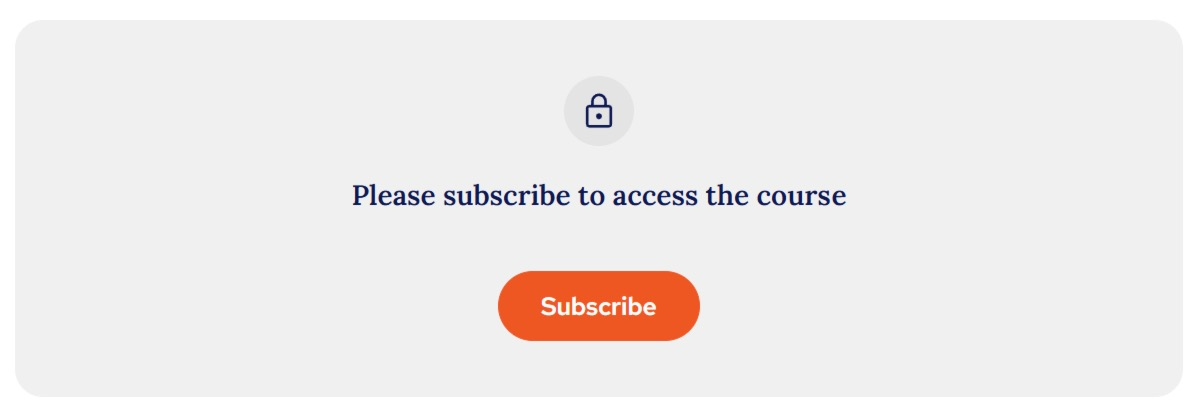
When you click 'Subscribe' you will be directed to the next step:
Step 3.
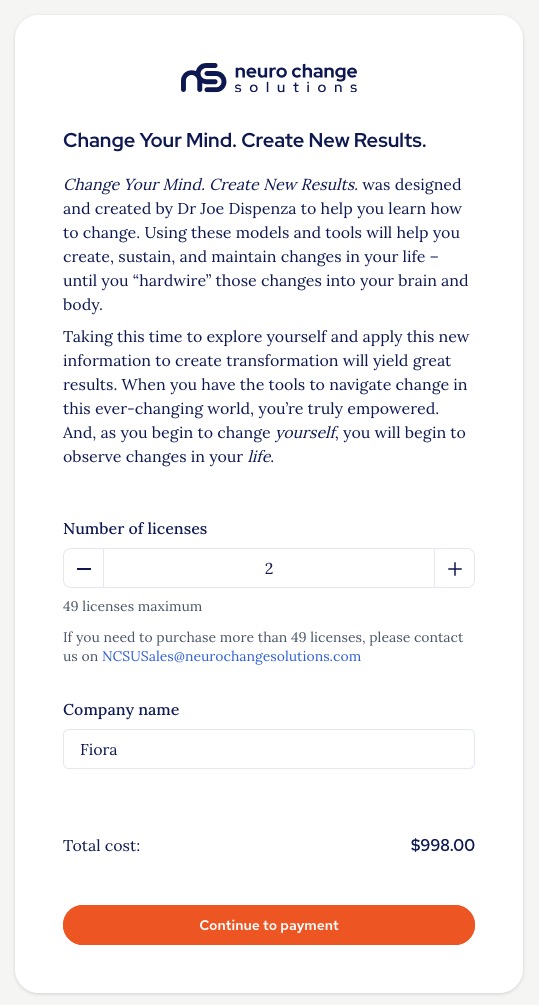
This is the screen you may be taken directly to as part of an account creation journey and is where you need to select the number of licenses you would like, add your company name, and click 'Continue to payment':
Step 4.
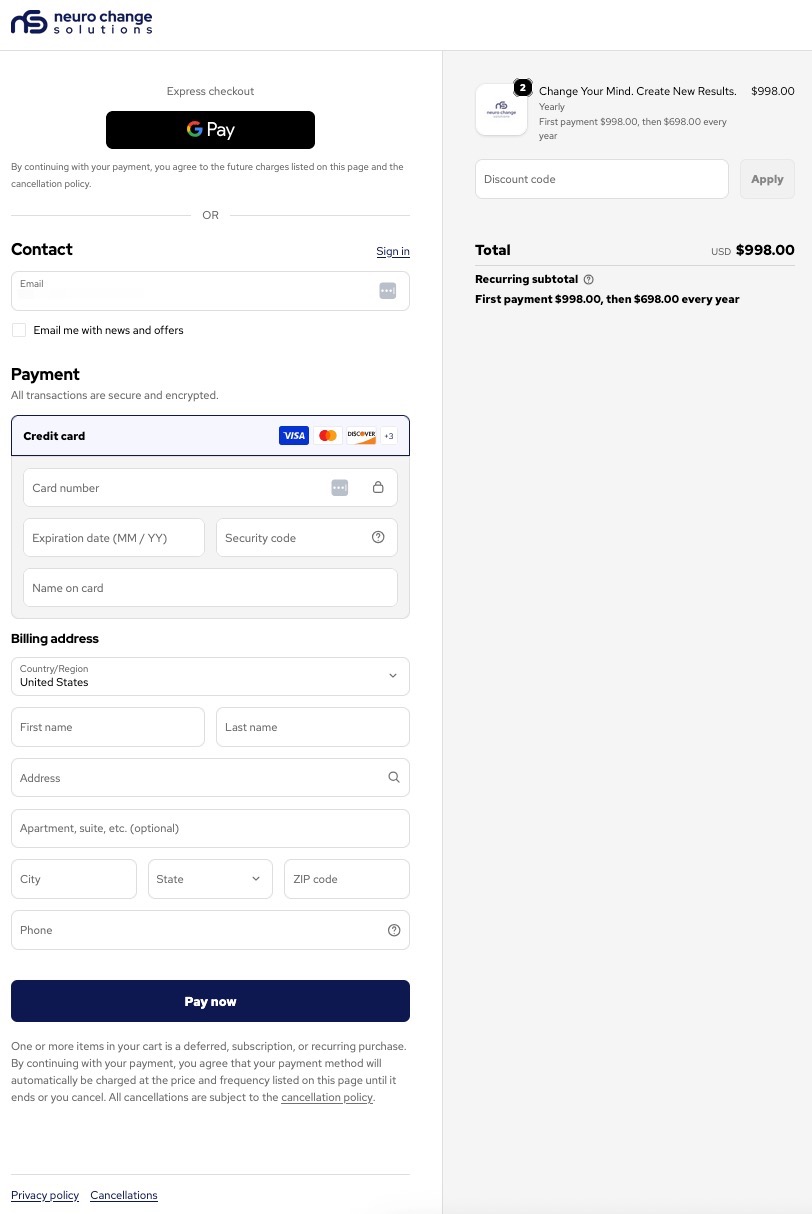
Now complete the payment:
Step 5.
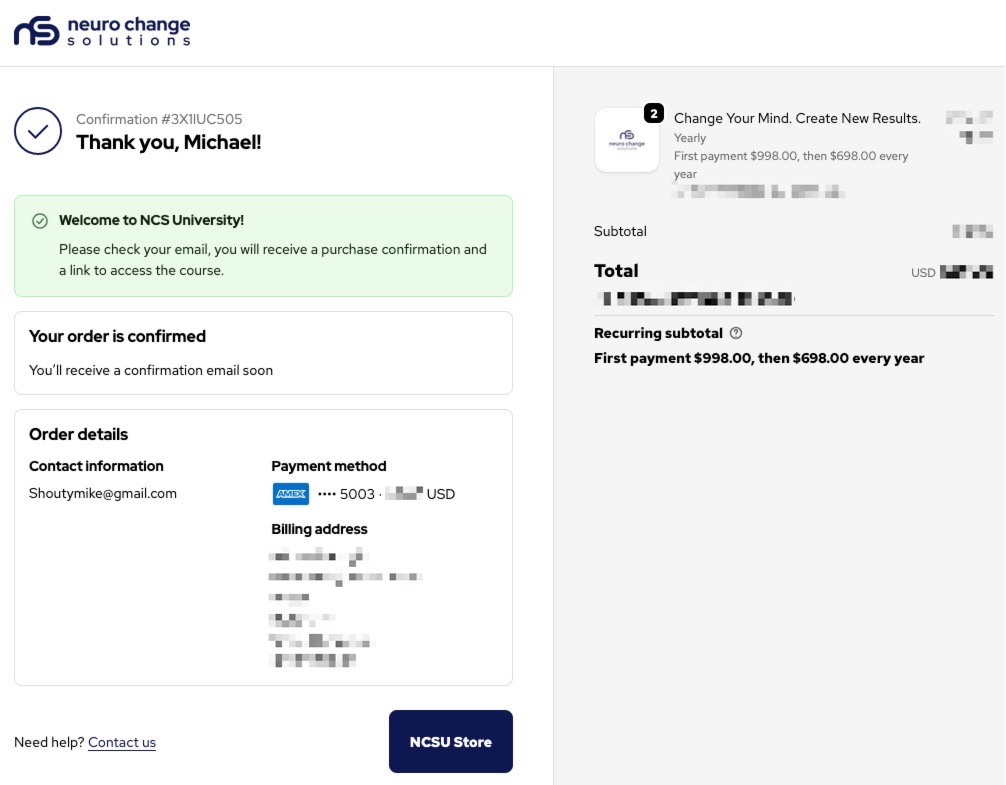
Go to the email you used to register your account and look for the email with the confirmation that your subscription is now active and a link for you to add your users:
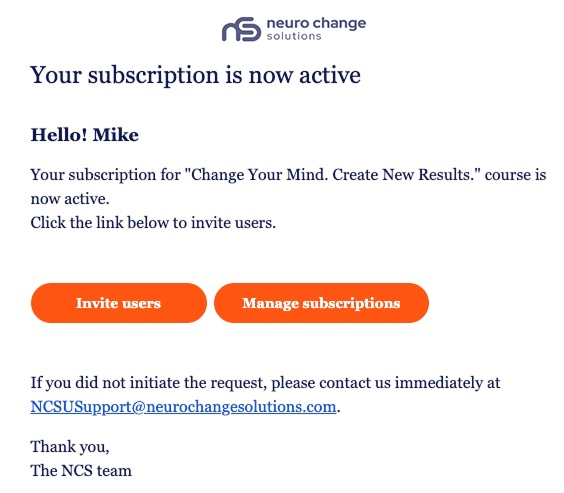
From here you will be able to add the required users in the learning application, refer to the 'Adding users to your subscription' guide for instructions on how to do this.
Please note:
You will receive two emails, a payment receipt and the above confirmation that your subscription is now active.
It may take a few minutes for the subscription confirmation to arrive, if it hasn't arrived after 10 minutes, please contact us through the Help Centre for assistance.
Thank you.
The NCSU Team.
Was this article helpful?
That’s Great!
Thank you for your feedback
Sorry! We couldn't be helpful
Thank you for your feedback
Feedback sent
We appreciate your effort and will try to fix the article