If you’ve forgotten your password or simply want to update it for security reasons, you can reset it in two ways:
Option 1: If you can't login
Go to the sign-in page: https://app.ncs-u.com
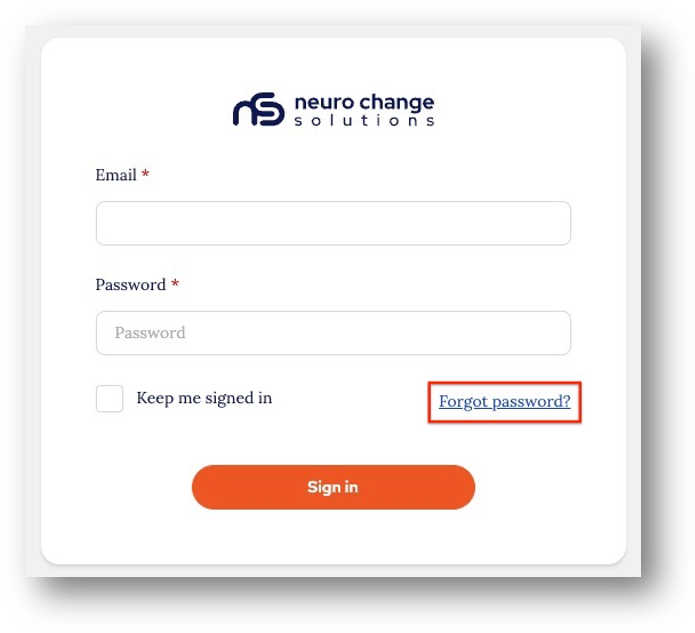
Step 1.
Click on the ‘Reset password’:
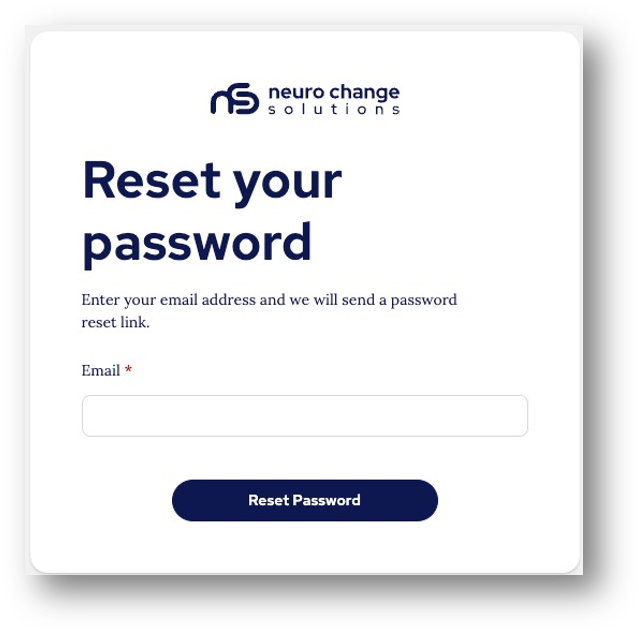
Step 2.
Enter the email address associated with your account:
You will see a message confirming an email has been sent to your email address in the top right of the screen:

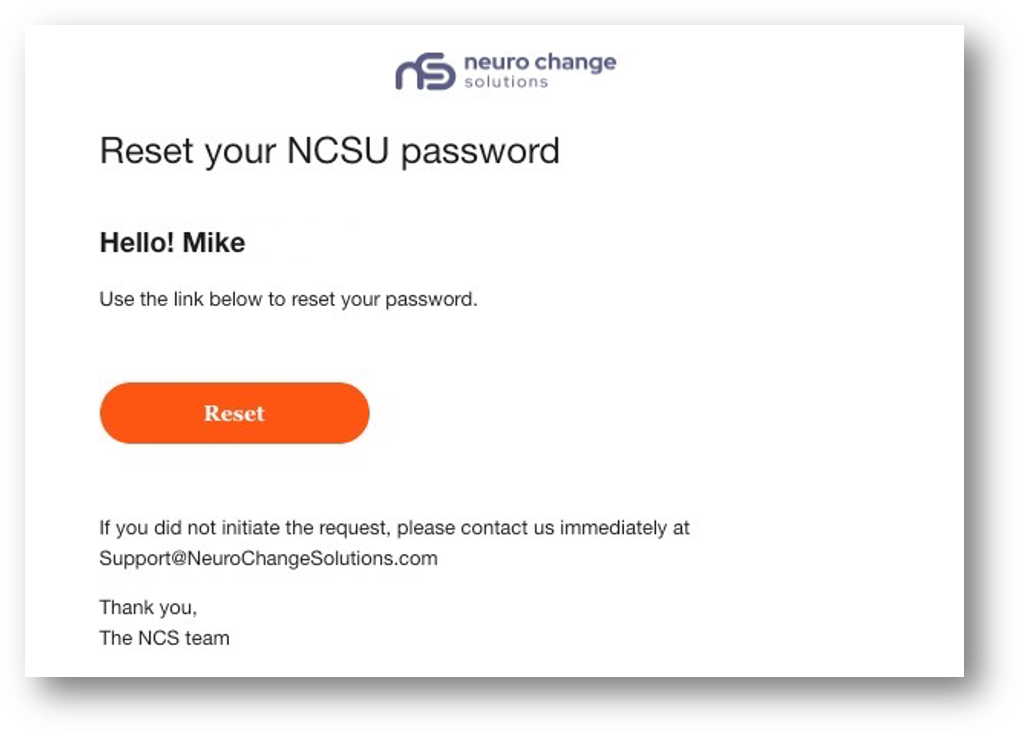
Step 3.
Go to your email account and click the ‘Reset’ link:
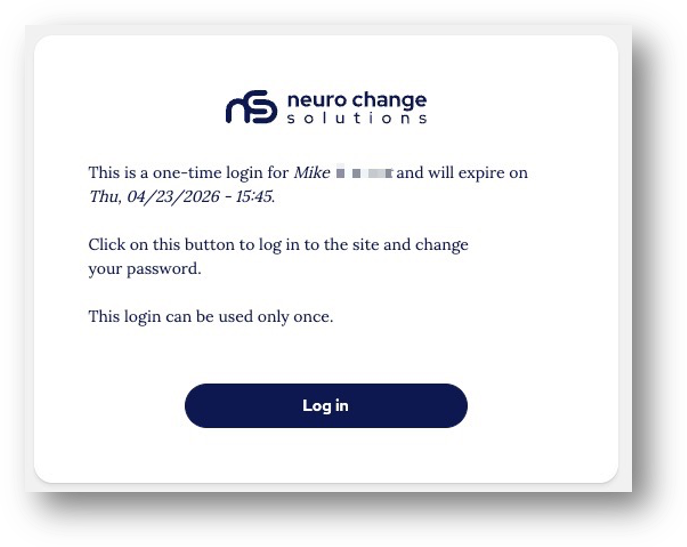
Step 4.
You will be directed to the one-time login link, click ‘Login’:
Step 5.
You will be able to set a new password on the next screen:
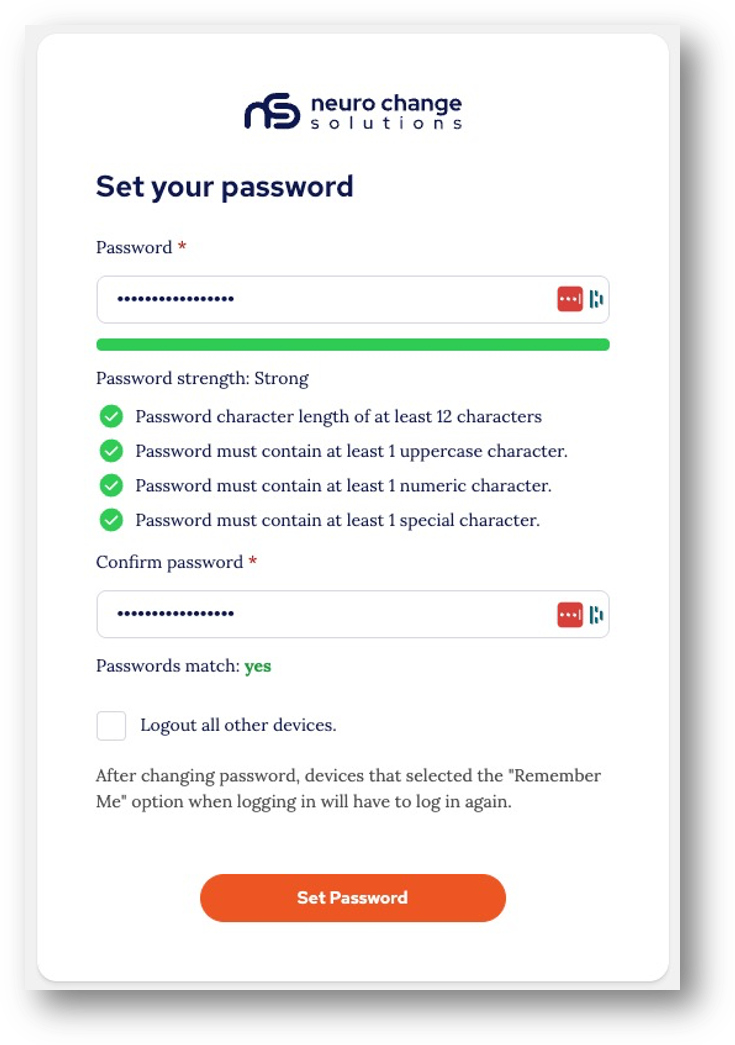
Step 6.
Once your password is set you simply click ‘Continue as Your Name’ on the next screen to log back in:
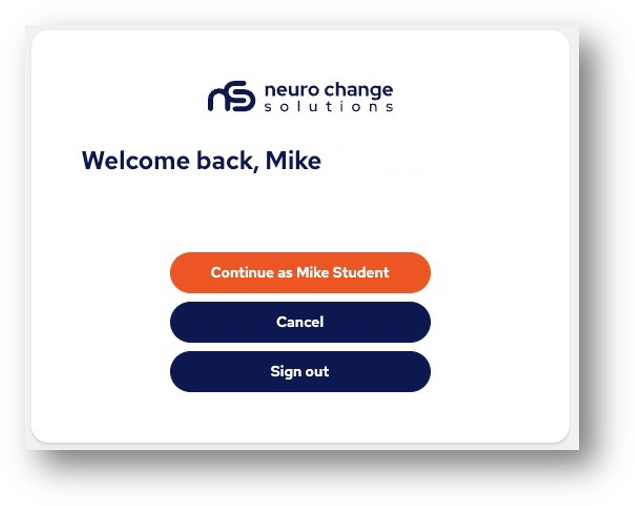
Option 2: If you want to reset your password from inside the application
Step 1.
Go to the Profile management area from the profile menu:
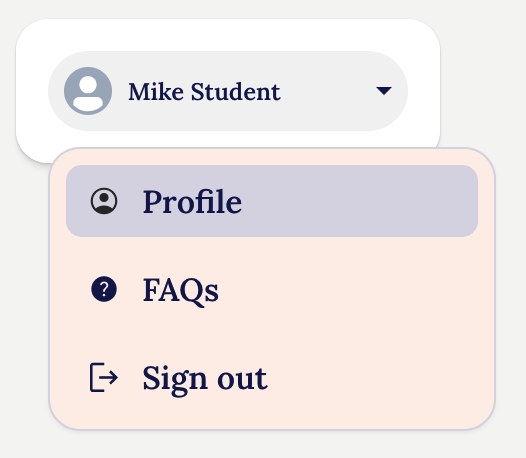
Step 2:
Click the 'Update password' button towards the bottom of the page:
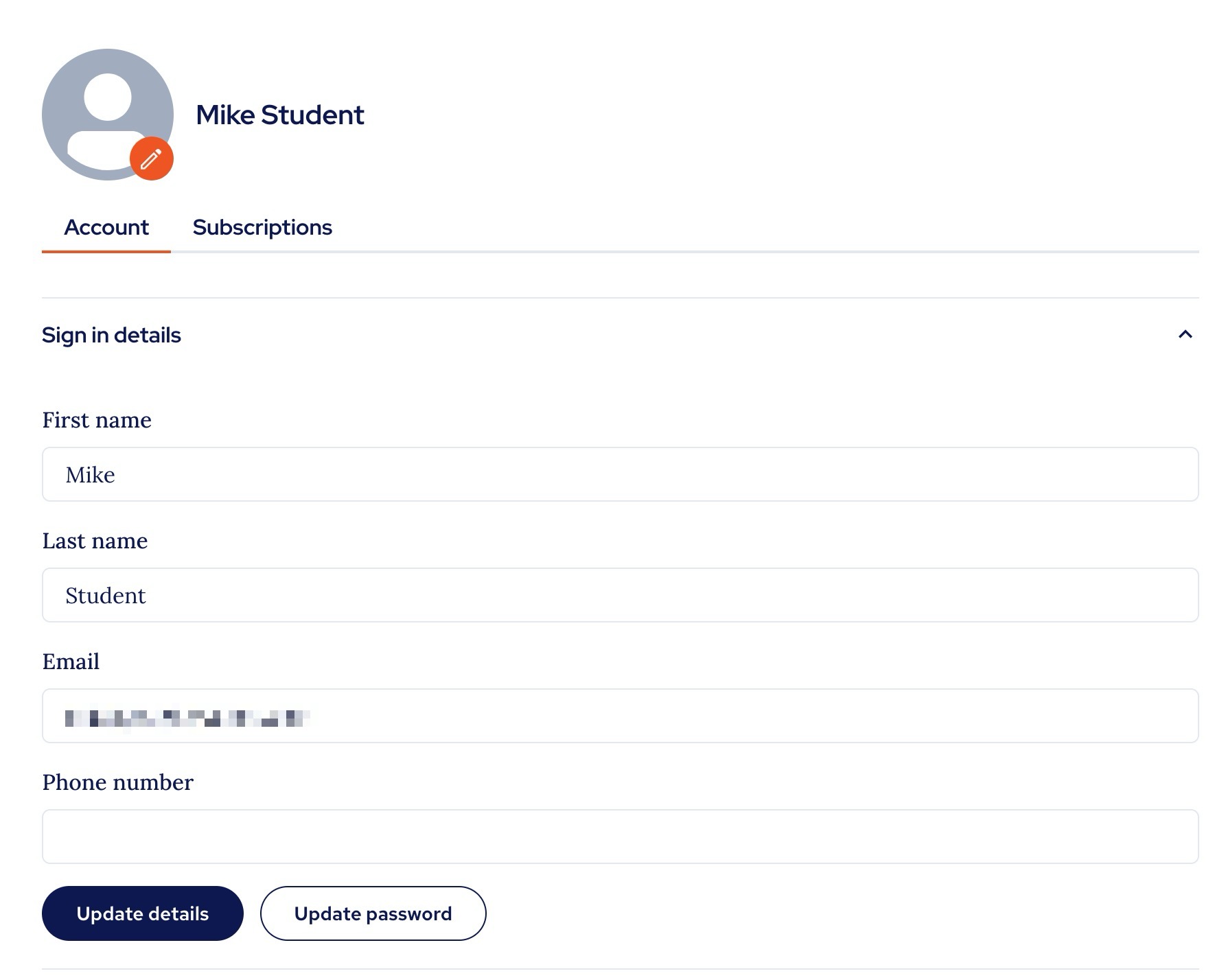
Step 3:
Add your current password and the new password and when you meet all the requirements, click 'Change password':
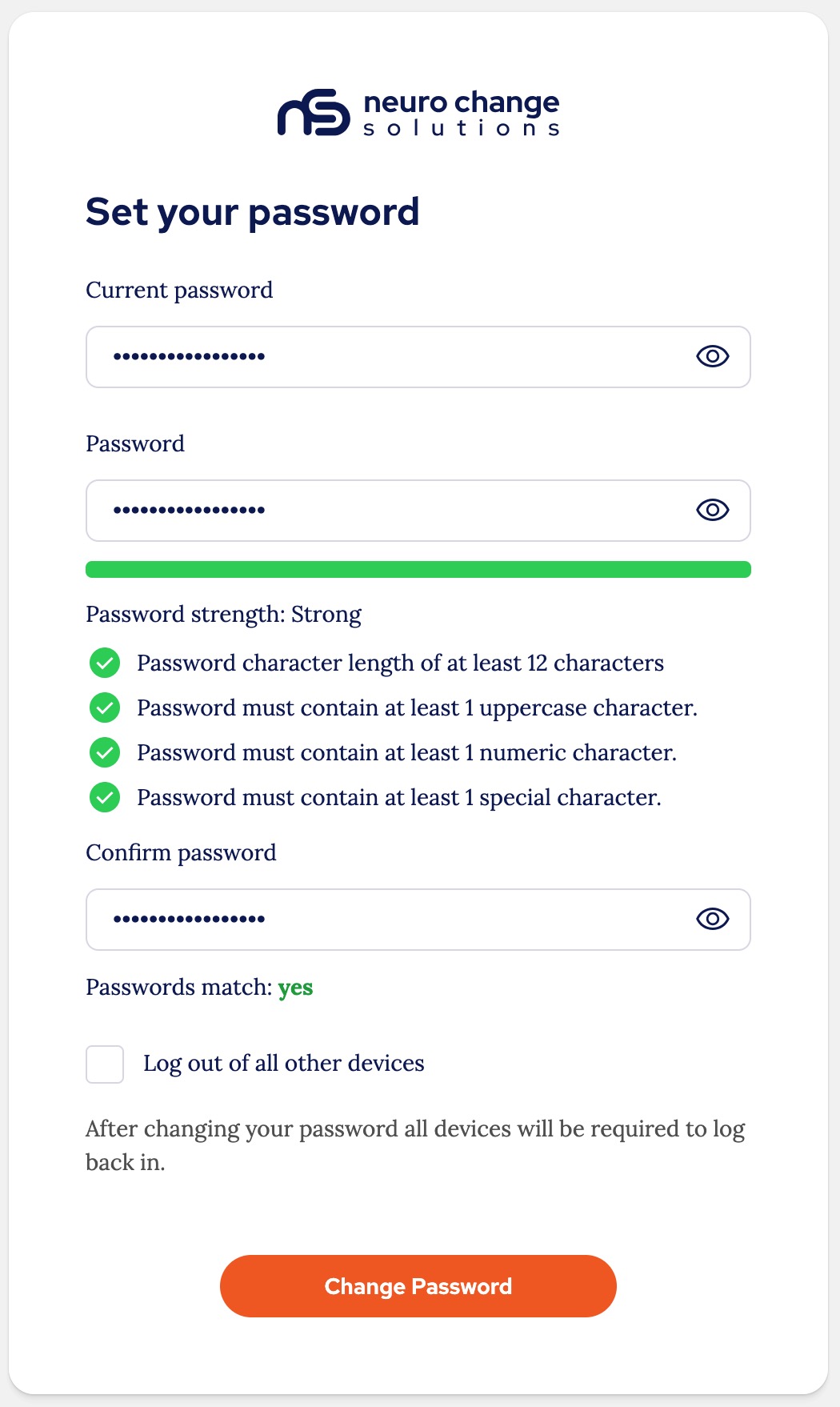
You will be redirected to the Homepage and your new password will be set.
Thank you.
The NCSU Team.
Was this article helpful?
That’s Great!
Thank you for your feedback
Sorry! We couldn't be helpful
Thank you for your feedback
Feedback sent
We appreciate your effort and will try to fix the article